Where the margin goes
A freelancer’s rate is agreed in an email, the client’s fee in a statement of work, the hours in a time tracker and the invoices in accounting. A rate goes up for the freelancer but not for the client, a project runs past the end of its statement of work, hours above the retainer are never billed.
What Clamra checks for an agency
- The same freelancer, period and rate on both sides.
The freelancer’s agreement and the client’s order or statement of work are compared line by line, and each gap says which document says what.
- Hours reported, accepted and invoiced.
Hours come from the client’s timesheet export. Accepted hours that were never invoiced, and contractor invoices that differ from the agreement, are flagged with the amount.
- The margin, against the norm.
Margin by client, role and seniority over time. Change a client rate and Clamra shows the new margin and asks whether the change is intended.
- Renewals before they lapse.
Contracts and orders that run out are listed ahead of time, and the annex is drafted from the data: the term follows the client’s order and the notice period comes from the client’s agreement.
- Both signatures, and how late they came.
Unsigned orders and late client signatures become tasks for the account manager, one click for many.
The screens your team would use
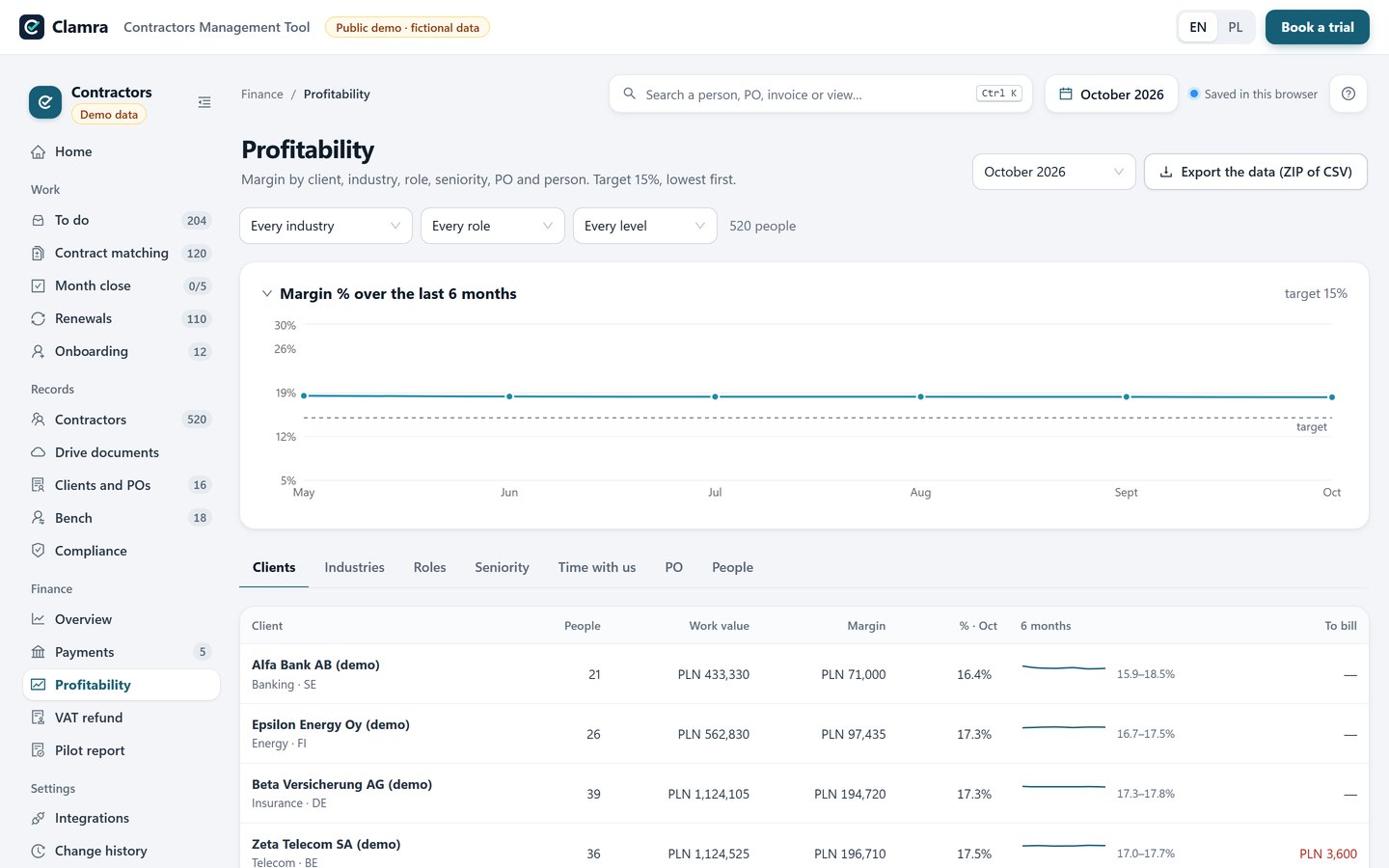
Margin over time. By client, role and seniority, with one export. 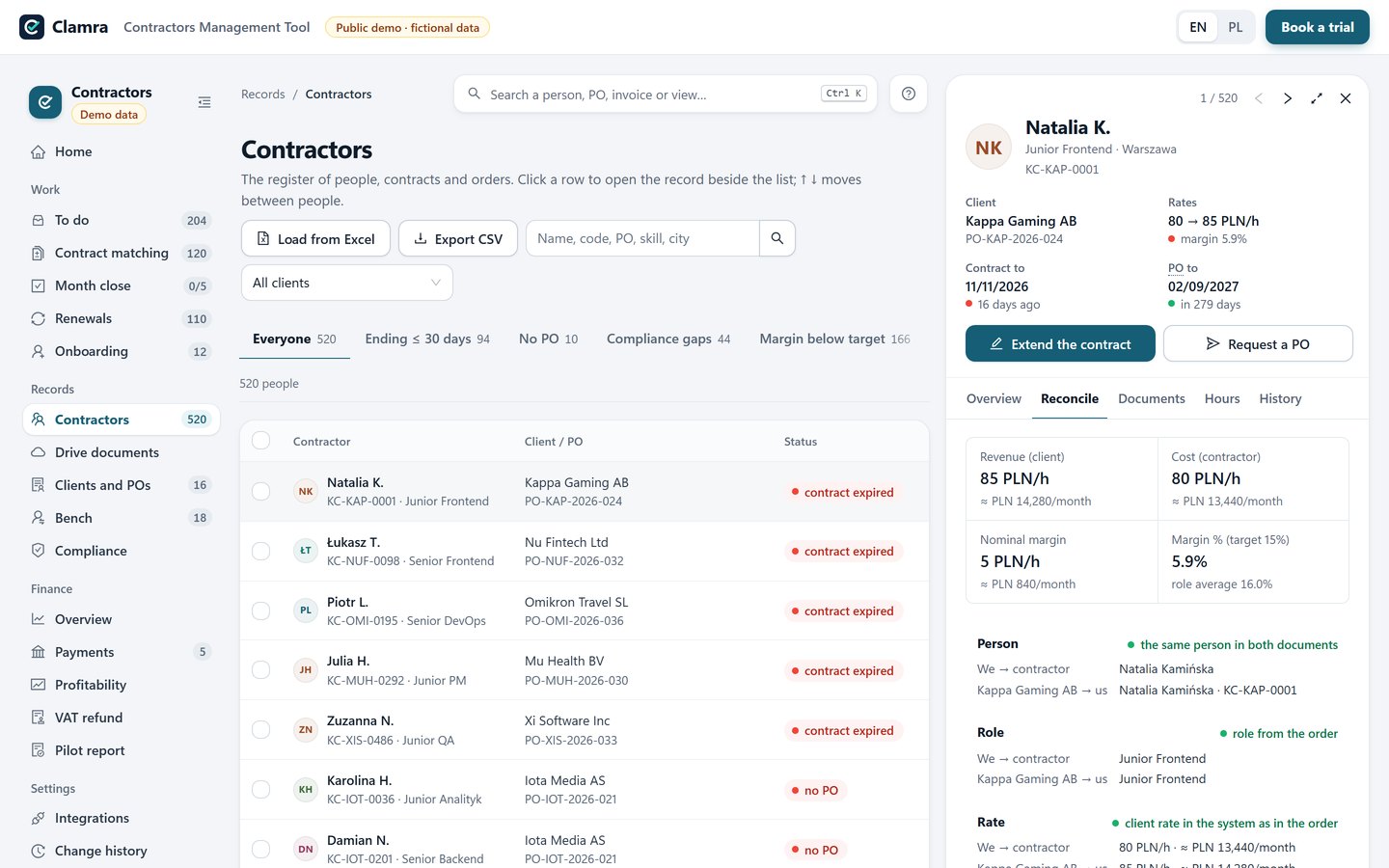
One record, both sides. Rate, term, signatures, hours, invoices and margin, with a what-if on the rate.
The Contractors module was built with an IT staffing firm. Marketing agencies run on the same three-party paperwork: one agency, one contractor or freelancer, one client. Demos and screens use fictional IT staffing data; a trial on your own documents is agreed with your team first.
Questions
Where do our documents go, and when can we upload real ones?
Walkthroughs run on fictional data. Real contracts, orders, timesheets and invoices are uploaded only after your agency accepts processing terms under GDPR Art. 28 (a data processing agreement). In the pilot the documents are read on Clamra’s own server, and a full export of your data is available at any time.
Do you send our documents to an external AI?
No. Rules and local OCR read the documents on Clamra’s server; no external AI model receives them. AI does not write fields: a value that cannot be traced to a document stays empty and visible, and a person confirms, corrects or rejects every match.
Does Clamra email clients or send contracts on its own?
No. Emails and purchase-order requests are drafts for your account manager, never sent to the client by Clamra. Annexes are drafts a person approves, and the e-signature step through Autenti is simulated in the demo.
We already use Bullhorn, Comarch Optima or Excel. Do we replace them?
No. Clamra is not an ATS, ERP or accounting system and does not post entries or settle VAT. It works next to the tools you have: hours come from the client’s timesheet export or a spreadsheet, and every check can be exported as CSV. Direct connectors for accounting systems are next, not live yet.
How is Clamra priced, and what does a trial look like?
Pricing is per active freelancer per month. A trial is scoped before it starts: a few freelancers and one client, with the scope, success criteria and access agreed with your team, and a full export of the data at the end.